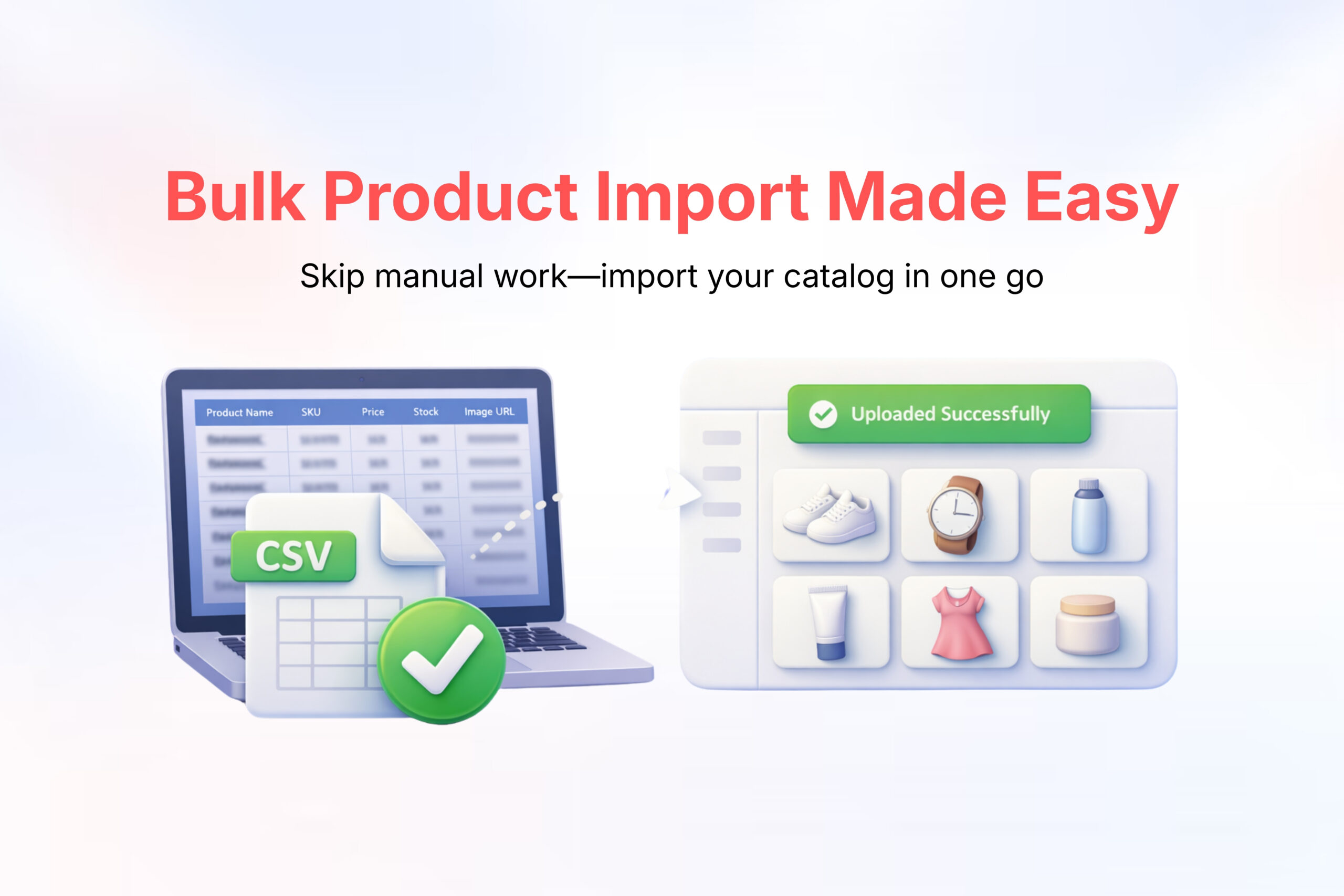
Managing products one by one can be time-consuming—especially when you have a large catalog.
With Bulk Product Import in Shoopy, you can quickly add, update, and manage multiple products at once using a single file. This feature helps store owners save time, reduce manual errors, and launch their store faster.
Whether you are migrating products from another platform or adding hundreds of new items, Bulk Product Import makes the process simple and efficient.
What is Bulk Product Import? #
Bulk Product Import allows you to upload multiple products simultaneously using a spreadsheet (CSV or Excel file).
Instead of creating each product individually, you can prepare all product details in one file and import them in just a few clicks.
This is especially useful for:
- Large inventories
- Seasonal product launches
- Store migrations
- Frequent catalog updates
Benefits of Bulk Product Import #
Save Time and Effort #
Upload hundreds of products in minutes instead of hours.
Reduce Errors #
Structured fields ensure consistency in pricing, descriptions, and categories.
Easy Updates #
You can update existing products like price, stock, or images in bulk.
Faster Store Setup #
Perfect for new sellers who want to launch their store quickly.
Better Product Management #
Keeps your catalog organized and uniform.
What Information Can You Upload in Bulk? #
You can include the following product details in your bulk upload file:
Product Name
Product Description
Price & Discount Price
SKU / Product Code
Stock Quantity
Product Images (via image URLs)
Categories & Subcategories
Variants (Size, Color, etc.)
Weight & Shipping details
Status (Active / Inactive)
Steps to Use Bulk Product Import in Shoopy #
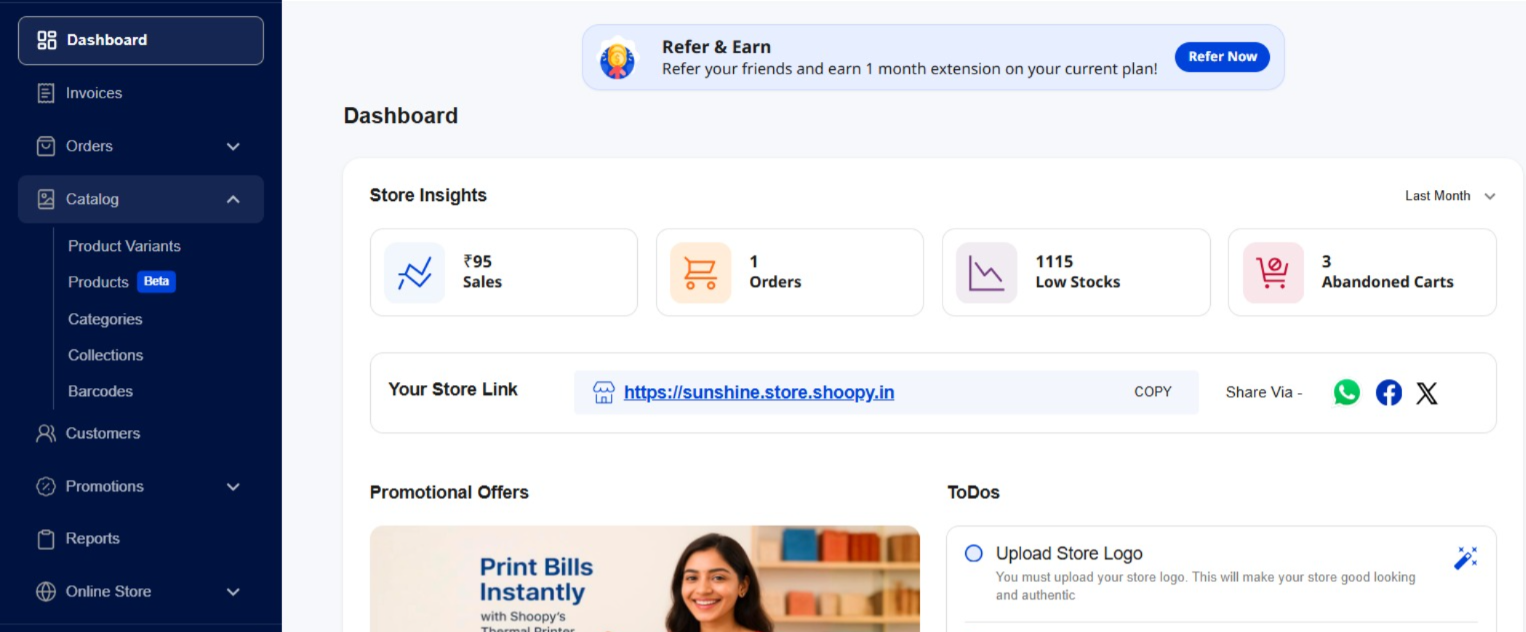
Step 1: Go to Shoopy panel and Click on Catalog
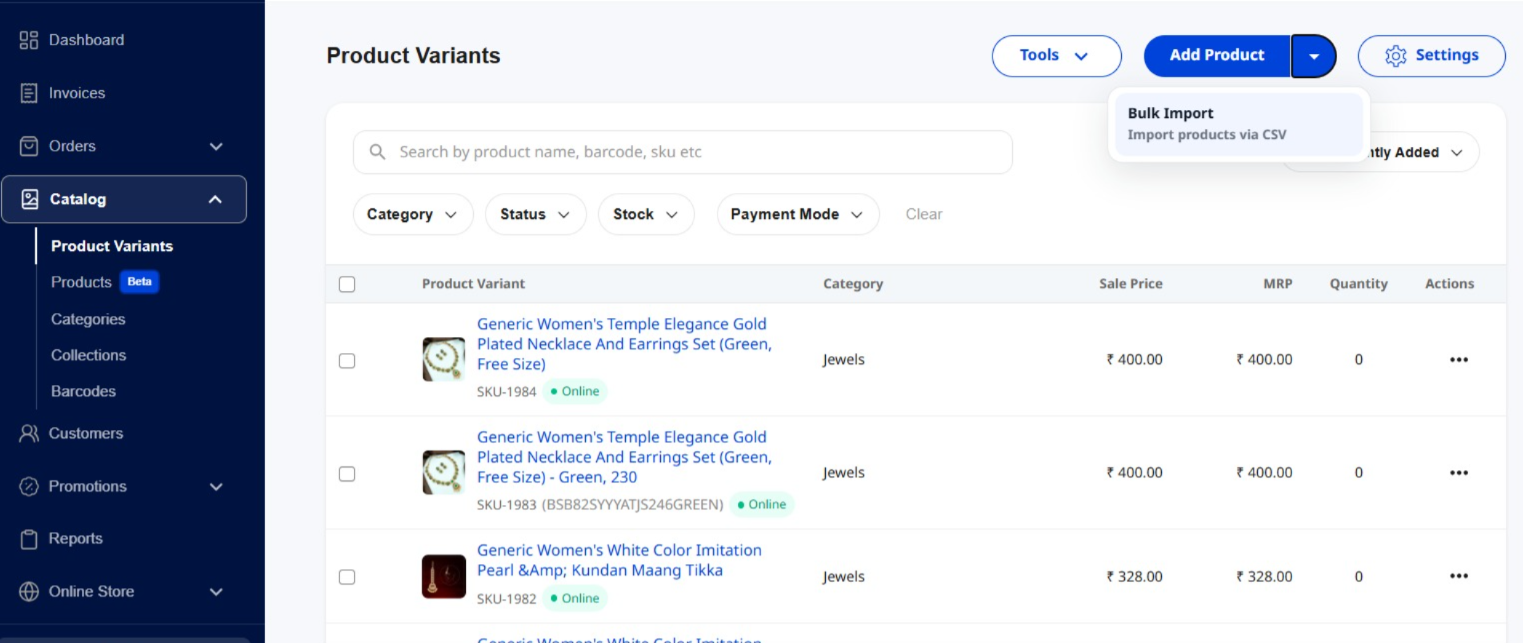
Step 2: Click on Add Product<<Bulk Import
Step 3: Download the Sample File and Fill in Product Details
Enter your product data carefully in each column:
One row = one product
Ensure prices and stock are in numeric format
Use proper image URLs
Avoid empty required fields
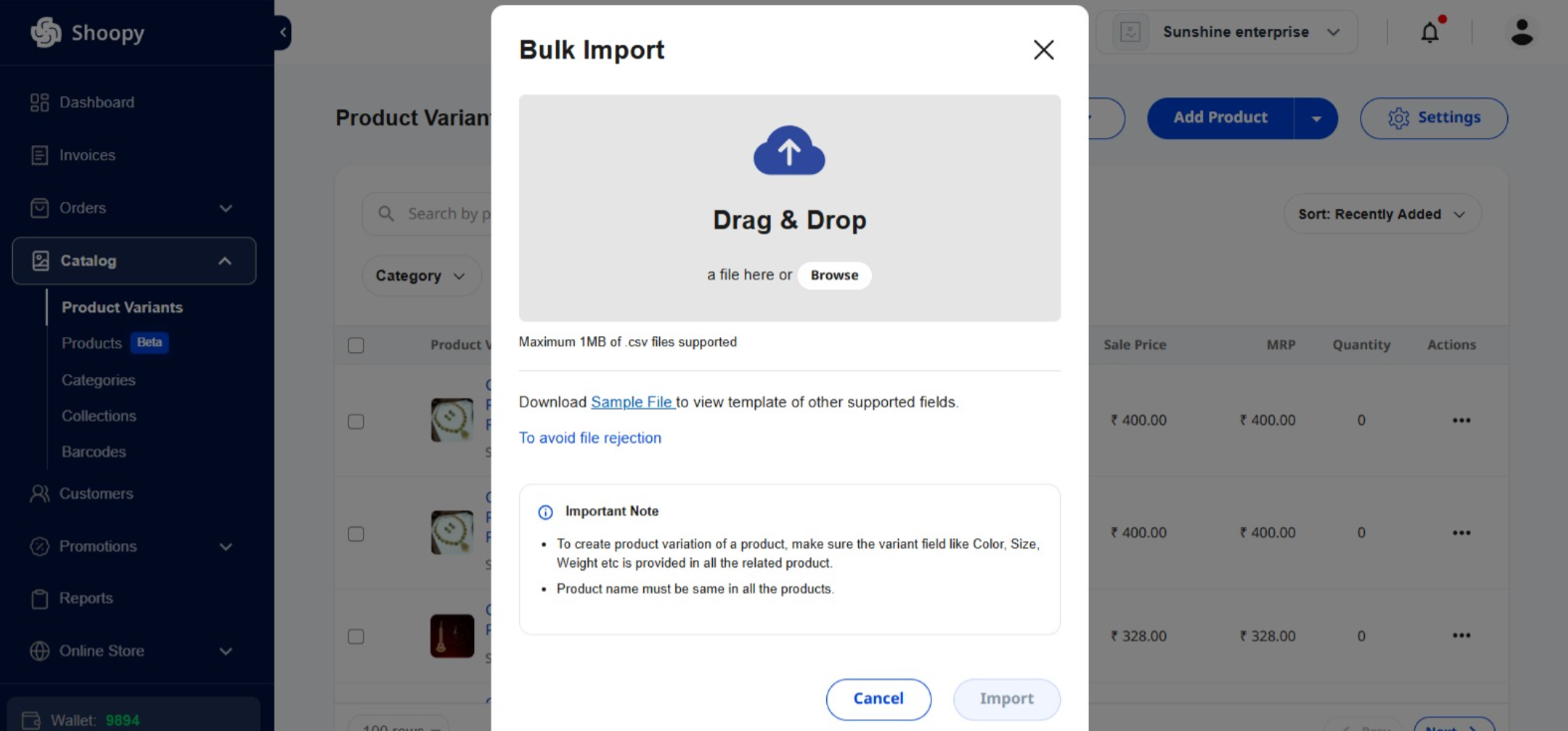
Step 4: Upload the File
Go to your Shoopy dashboard → Products → Bulk Upload → Upload File.
Step 5: Click on Upload and continue
Once validated, your products will be added to your store instantly.
Best Practices for Bulk Product Import #
✔ Use Clear Product Names
Make product titles descriptive and easy to understand.
✔ Optimize Product Images
Use high-quality image links and consistent background images.
✔ Maintain Category Structure
Group similar products into correct categories for better navigation.
✔ Double-check Prices and Stock
Avoid uploading incorrect prices or zero stock accidentally.
✔ Upload in Smaller Batches
If you have thousands of products, upload them in parts for smoother processing.
Common Mistakes to Avoid #
❌ Leaving mandatory fields empty
❌ Uploading duplicate SKUs
❌ Using broken image links
❌ Incorrect category names
❌ Using special characters in numeric fields
Why Bulk Product Import Improves Business Efficiency #
Bulk importing products helps you:
- Launch your store faster
- Keep your catalog updated
- Focus more on marketing and sales
- Reduce manual work
- Scale your business easily