Product images play a crucial role in helping customers understand what they are buying and in building trust in your online store. High-quality product images make your store look professional and help customers make confident purchase decisions.
In Shoopy, you can upload multiple product images, zoomable images, and optimized visuals to showcase your products in the best possible way.
Why Product Images Are Important #
Product images are the first thing customers notice when they visit a product page. Since customers cannot touch or try products online, images become the main source of information.
Good product images help to:
Increase customer trust
Improve product understanding
Boost conversion rates
Reduce returns and complaints
Create a professional brand image
Poor-quality images can confuse customers and lead to cart abandonment or refunds.
Types of Product Images You Can Upload #
1. Main Product Image #
This is the primary image shown on:
Product listing page
Search results
Homepage sections
It should clearly show the full product on a clean background.
2. Additional Product Images #
You can upload multiple images to show:
Front view
Back view
Side angles
Close-up details
Packaging
Size or texture
These images help customers fully understand the product.
3. Zoomable Images #
Zoomable images allow customers to see:
Fabric quality
Design details
Print clarity
Small features
This improves confidence and reduces doubts before purchase.
Best Practices for Product Images #
Follow these guidelines to create high-quality product images:
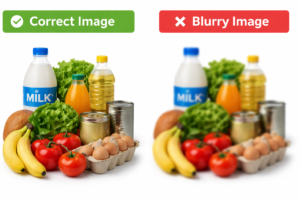
✔ Use Clear & High-Quality Images #
Use HD images (minimum 1000px width recommended)
Avoid pixelated or stretched images
Keep lighting bright and natural
✔ Show Product from Multiple Angles #
Upload at least 3–5 images per product:
Front
Back
Side
Close-up
Usage view
This gives a complete product view.
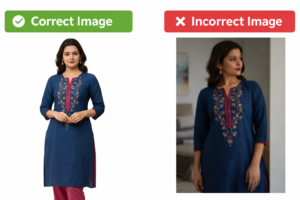
✔ Use a Consistent Background #
Use white or light background
Keep the same background style for all products
Avoid messy or distracting backgrounds
Consistency makes your store look professional.
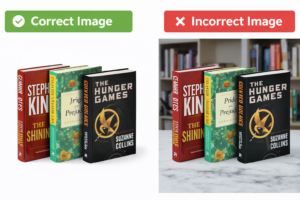
✔ Show Real Product Usage #
If possible, show:
Product in hand
Product being worn
Product placed in real-life setting
This helps customers imagine using the product.
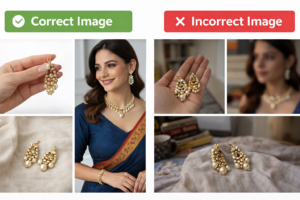
✔ Optimize Image Size #
Compress images for faster loading
Avoid very large file sizes
Keep quality balanced with speed
How Product Images Improve Conversions #
Good product images:
Increase customer confidence
Reduce product-related questions
Lower return rate
Improve product page engagement
Make your store more trustworthy
Customers are more likely to buy when they clearly see what they are purchasing.
Common Mistakes to Avoid #
Avoid these mistakes:
Uploading only one product image
Using images with heavy filters
Using screenshots instead of real photos
Uploading very small images
Using different backgrounds for every product
Tips for Best Results #
Use the same image size for all products
Add at least 3–5 images per product
Keep lighting consistent
Avoid using stock images if possible
Rename image files with product name for SEO
Conclusion #
Product images are one of the most important elements of your online store. High-quality, clear, and well-structured images help customers trust your brand and make better buying decisions.
By uploading multiple images, using zoomable views, and following best practices, you can improve your store’s performance and reduce product returns significantly.