Branding plays an important role in building a professional and trustworthy online store. With proper branding, your store looks unique, memorable, and consistent across all pages. In Shoopy, you can easily customize your store’s logo, colors, and fonts to match your brand identity.
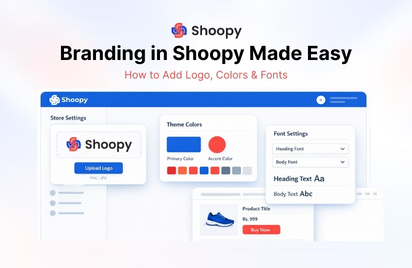
This guide explains how to set up and manage your store branding in Shoopy.
Why Branding Is Important for Your Store #
A well-branded store helps you:
- Build customer trust
- Create a professional look
- Improve brand recognition
- Make your store visually appealing
- Stand out from competitors
When customers see consistent colors, fonts, and logos, they are more likely to remember your brand and shop again.
Logo Branding in Shoopy #
Your logo represents your brand identity. It is usually displayed on the header of your store and sometimes on invoices, emails, and marketing materials.
How to Upload Your Store Logo #
Follow these steps:
- Log in to your Shoopy dashboard.
- Go to Store Settings
- Click on Store Logo option.
- Upload your logo image.
- Click Save Changes.
Your logo will now appear on your website header.
Logo Best Practices #
To ensure your logo looks good on all devices:
- Use PNG or SVG format
- Use transparent background
- Recommended size: 500×500 px
- Avoid blurry or stretched images
- Keep the design simple and clean
A clear logo improves brand visibility and professionalism.
Store Colors in Shoopy #
Colors define the visual style of your store. Choosing the right color combination helps create a consistent and attractive design.
Shoopy allows you to customize several color elements such as:
- Primary theme color
- Buttons
- Links
- Navigation menus
- Background sections
How to Change Store Colors #
- Open Store Settings in your Shoopy dashboard.
- Locate the Theme Color Settings section.
- Choose your preferred colors.
- Preview the changes.
- Click Save.
The selected colors will apply across your entire store.
Color Selection Tips #
- Choose 2–3 main brand colors
- Maintain good contrast for readability
- Use bright colors for call-to-action buttons
- Avoid too many different colors
- Match colors with your brand identity
Consistent colors make your website easier to navigate and visually appealing.
Fonts in Shoopy #
Fonts affect how customers read and understand your content. The right fonts improves readability and enhances your store’s overall appearance.
Shoopy allows you to choose fonts for:
- Headings
- Product titles
- Body text
- Buttons
- Navigation menus
How to Change Fonts #
- Go to Online Store->Store Setting.
- Open the Display-> Font Settings section.
- Select the font style you prefer.
- Adjust font size if needed.
- Save your changes.
The new font will automatically apply across your store pages.
Font Best Practices #
- Use simple and readable fonts
- Avoid using too many different fonts
- Use one font for headings and another for body text
- Ensure font size is mobile-friendly
- Maintain consistent typography across pages
Good typography improves user experience and keeps customers engaged.
Maintaining Consistent Brand Identity #
To create a strong brand identity, make sure your logo, colors, and fonts work together.
For example:
| Brand Element | Recommendation |
|---|---|
| Logo | Simple and memorable |
| Primary Color | Used for buttons & highlights |
| Secondary Color | Used for backgrounds or sections |
| Font Style | Clean and readable |
Consistency helps customers recognize your brand instantly.
Common Branding Mistakes to Avoid #
Avoid these mistakes when customizing your store:
- Using low-quality logo images
- Choosing too many colors
- Using hard-to-read fonts
- Changing branding too frequently
- Ignoring mobile responsiveness
Keeping branding simple and consistent always works best.
Benefits of Proper Branding #
When you set up branding correctly in Shoopy, you get:
- A professional-looking store
- Strong brand identity
- Higher customer trust
- Better customer experience
- Improved store recognition
Good branding makes your store look reliable and helps build long-term customer relationships.
Conclusion #
Branding is one of the most important steps in creating a successful online store. By customizing your logo, colors, and fonts, you can create a unique and professional store appearance in Shoopy.
Take time to design a consistent brand style that represents your business and appeals to your customers.